
Digital Vehicle Inspections: Check Every Part, Win More Approved Work
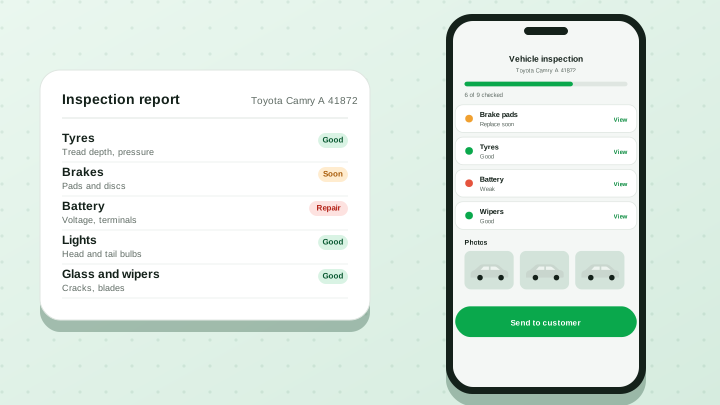
A paper inspection sheet is easy to lose and hard to explain. A digital inspection turns the same checks into something customers can see, understand and approve from their phone.
1. Cover Every Key Part of the Vehicle
A solid inspection walks through tyres, brakes, engine, battery, lights, glass and wipers, and the cabin air conditioning. Each part has a short list of things to check, such as tread depth and pressure for tyres, or pad thickness and fluid for brakes.
2. Use Clear Good, Soon, or Repair Statuses
Marking every part as Good, Soon or Repair makes the result easy to read. Customers do not need to decode technical notes; they can see at a glance what is fine, what to plan for and what needs attention now.
3. Add High-Resolution Inspection Photos
A photo of a worn brake pad or a cracked light does more to build trust than a sentence ever will.
4. Turn Inspection Findings into Approved Work
In Garage360, items marked Soon or Repair can be added to the estimate and sent to the customer, who approves from their phone. The inspection, estimate and job card stay linked.
You can try the idea yourself: open the interactive car on our homepage, tap a part and set its status to see how a checklist builds up.